
Best Powered USB Hubs in 2026
Standard USB hubs borrow power from your computer. That is fine for a keyboard, mouse, or flash drive, but it gets unreliable once you add external drives, webcams, audio interfaces, capture cards, card readers, or several charging devices. A powered USB hub solves that by using its own wall adapter, so the hub is not asking your laptop port to run everything by itself.
The right powered hub is less about buying the biggest port count and more about matching power, stability, desk layout, and device type. Some people only need a compact four-port splitter for permanent desk accessories. Others need a larger hub with individual switches, enough spacing for chunky USB receivers, and a power brick that can keep several bus-powered devices online at the same time.
This guide focuses on practical powered USB hubs for desks, home offices, creative workstations, and shared charging spots. If you specifically need USB-C display output, start with our guide to USB-C hubs with HDMI. If you need a one-cable laptop dock with display and ethernet, compare this category with Thunderbolt 4 docks.
Quick Picks
| Pick | Best for | Why it stands out |
|---|---|---|
| Anker USB Hub 4 Ports | Basic desktop expansion | Simple, compact, and reliable for low to moderate draw accessories |
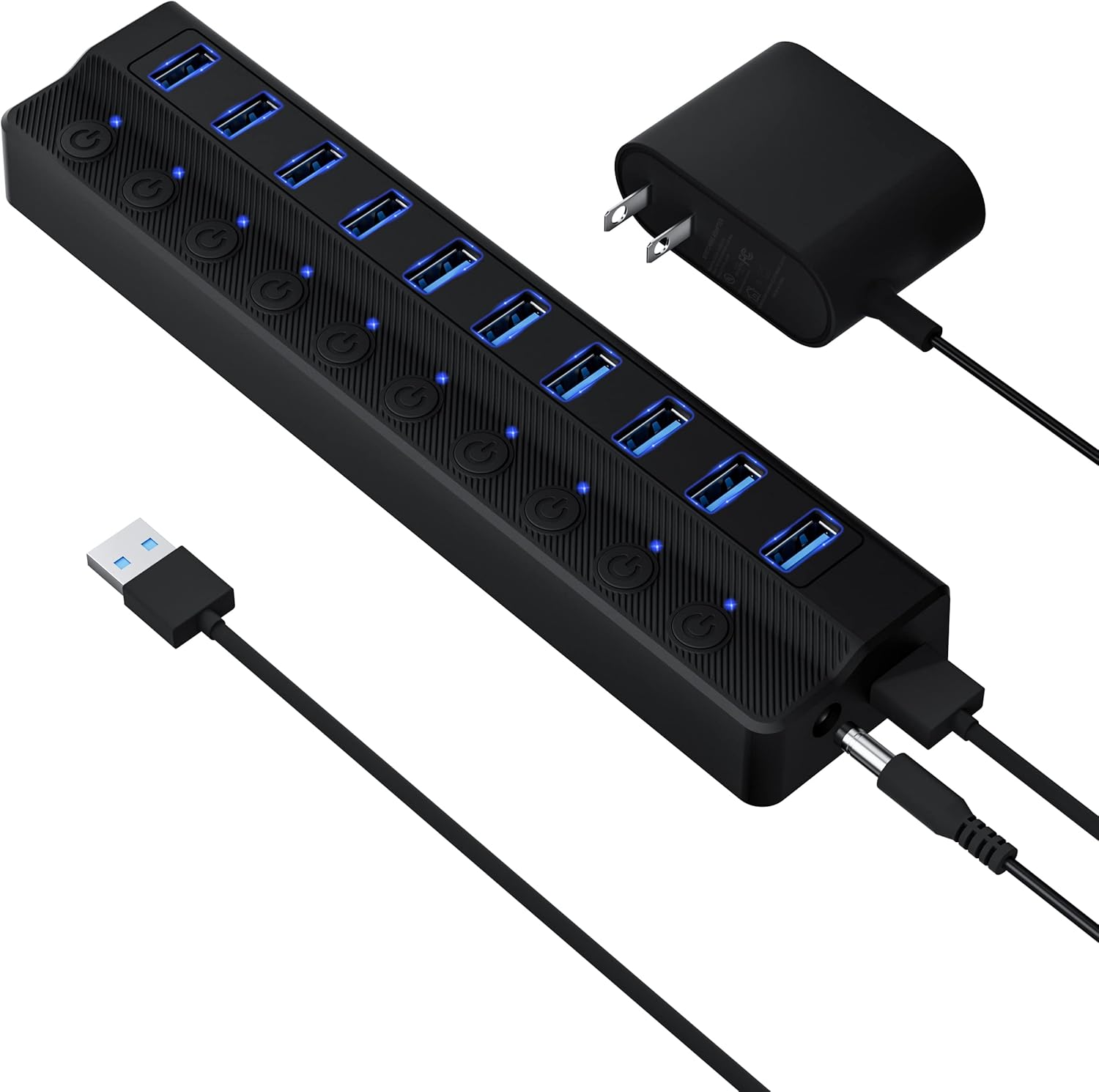
| SABRENT 10-Port Powered USB Hub | Many USB-A devices | More ports, external power, and a layout built for a busy desk |
What Makes a Powered Hub Worth Buying
A powered hub should do three things well. First, it should keep connected devices stable. Drives should not disconnect when a webcam turns on, and an audio interface should not crackle because a bus-powered SSD started copying files. Second, the hub should make cable management easier. Ports that are too close together become frustrating once you plug in USB receivers, card readers, or short adapter cables. Third, the power adapter should be sized for the job. A ten-port hub with a weak adapter is just a crowded bus-powered hub with extra steps.
Powered hubs are especially useful for:
- External hard drives and SSD enclosures that need steady power
- Webcams, microphones, DACs, and audio interfaces
- Printers, scanners, and label makers that stay connected to a desktop
- Multiple USB receivers for keyboards, mice, and controllers
- Charging small accessories while keeping your laptop ports free
They are less useful if you need video output, laptop charging, or ethernet. For those tasks, a USB-C hub or dock is the better category.
Our Pick: Anker USB Hub (4 Ports)
Best for: Desktop users who need basic powered ports.
The Anker 4-port USB hub is the safer pick for a clean, simple desk. It is not trying to be a dock. It gives you extra USB-A ports for everyday peripherals and keeps the setup small enough to sit behind a monitor, under a laptop stand, or beside a keyboard tray.
Choose this if your desk has a predictable set of accessories: keyboard, mouse receiver, printer cable, USB microphone, flash drive, or occasional card reader. The smaller port count is a feature here. It keeps the hub easier to manage and reduces the temptation to plug in more high-draw gear than the hub was meant to support.
What works well:
- Compact footprint for a small desk
- Simple USB-A expansion without dock complexity
- Good fit for keyboards, mice, printers, webcams, and thumb drives
- Easier cable management than a large ten-port hub
Trade-offs:
- Not enough ports for a large creator desk
- No video output, ethernet, or USB-C laptop charging
- Not the right pick if you need to keep several portable hard drives active at once
The Anker is the right answer when you want fewer surprises. If your current problem is “my laptop has two ports and I need four stable USB-A accessories,” this is the cleaner buy.
Most Ports: SABRENT 10-Port
Best for: Users with many devices.
The SABRENT 10-Port Powered USB Hub is for the desk that already has too many cables. It gives you room for permanent accessories and temporary devices without constantly unplugging something. That matters if your desk has a webcam, microphone, USB audio, external drives, card readers, printer, keyboard receiver, and charging cables all fighting for space.
The main benefit is not just the port count. It is the external power and physical layout. Large hubs are easier to live with when devices can remain plugged in and you can quickly identify which cable belongs to which accessory. If you use external drives, leave a little spacing between them and avoid treating every port as a charger at once.
What works well:
- Enough ports for a dense workstation
- Useful for permanent desk accessories
- External power helps with stability under load
- Better fit than a tiny hub for external drives and many receivers
Trade-offs:
- Bigger footprint and more cable clutter
- More ports means more discipline is needed around power draw
- Overkill for a travel bag or minimalist desk
If your current desk looks like a rotation system, the SABRENT is the better long-term fix. It is less elegant than a small hub, but it removes the daily friction of swapping cables.
Powered Hub vs USB-C Dock
Do not buy a powered USB-A hub expecting it to replace a dock. A powered hub expands USB accessory ports. A dock usually adds video, laptop charging, ethernet, SD readers, and sometimes Thunderbolt or USB4 bandwidth.
| Need | Better choice |
|---|---|
| More keyboard, mouse, printer, scanner, or webcam ports | Powered USB hub |
| External monitor from a laptop | USB-C hub or dock |
| One cable for monitor, ethernet, charging, and peripherals | USB-C dock or Thunderbolt dock |
| Several USB-A accessories on a desktop PC | Powered USB hub |
| Travel setup with HDMI and passthrough charging | Portable USB-C hub |
Setup Tips
Put the hub somewhere you can reach. Powered hubs are often treated like cable-management boxes and hidden behind the desk, but that makes temporary accessories annoying. A good compromise is to route permanent cables behind the monitor and keep one or two front-facing ports accessible.
Avoid daisy-chaining hubs unless you have no alternative. Connecting one hub into another can work for low-draw accessories, but it makes troubleshooting harder. If a device disconnects, you will not immediately know which hub, cable, or port caused it.
Use the shortest reliable cable between the computer and hub. Long, cheap USB cables can introduce flaky behavior, especially when several devices are active. If you see intermittent disconnects, test the hub with a different upstream cable before assuming the hub is bad.
FAQ
Do powered USB hubs charge laptops? Usually no. Most powered USB-A hubs are designed to power connected accessories, not charge a laptop. For laptop charging, look for USB-C Power Delivery in a hub or dock.
Can I plug external hard drives into a powered USB hub? Yes, that is one of the best reasons to use a powered hub. For multiple drives, prefer a hub with a strong power adapter and avoid copying from every drive at the same time.
Will a powered hub make USB devices faster? No. A powered hub improves power stability, not the USB speed rating. Speed still depends on the hub standard, upstream port, cable, and device.
Is a 10-port hub always better than a 4-port hub? No. A 10-port hub is better for a dense desk. A 4-port hub is usually cleaner for basic expansion and fewer permanent accessories.
Bottom Line
Pick the Anker 4-port hub if you want simple, stable USB-A expansion for a normal desk. Pick the SABRENT 10-port hub if you have a larger workstation and want to stop rotating cables. For display output, laptop charging, or ethernet, move up to a USB-C hub or full dock instead.
Reviewed May 2026. Product availability and current prices should be checked on Amazon before purchase.